
We’ve released a major update to Ryvet, with new features available today to help you resolve questions, review scope, check pricing, and get ready to run the job.
Ryvet now asks clarifying questions and confirms important assumptions during analysis. You’ll also find a review built around individual signs, clearer price sources, and a job plan drafted from your estimate.
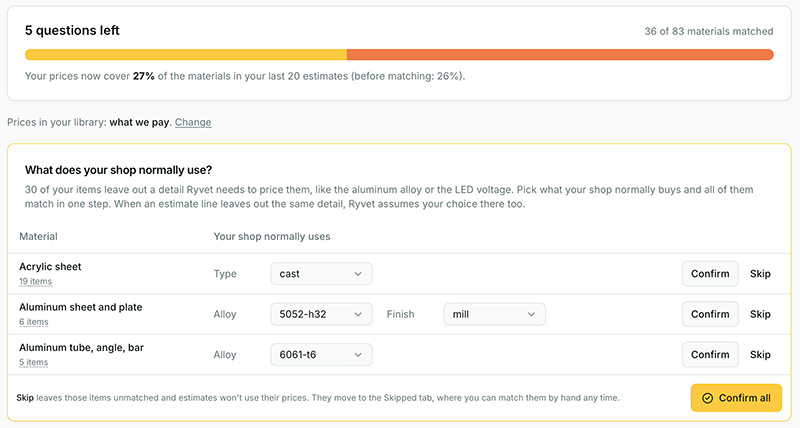
We’re also rolling out smarter matching for existing cost libraries, with a short admin review available now and improved pricing taking effect about a week after release.
What does that mean for your shop? Less time tracking down details, more of your own pricing doing the work, and fewer unanswered questions when you’re ready to send the quote.
Answer the questions that change the estimate - during analysis
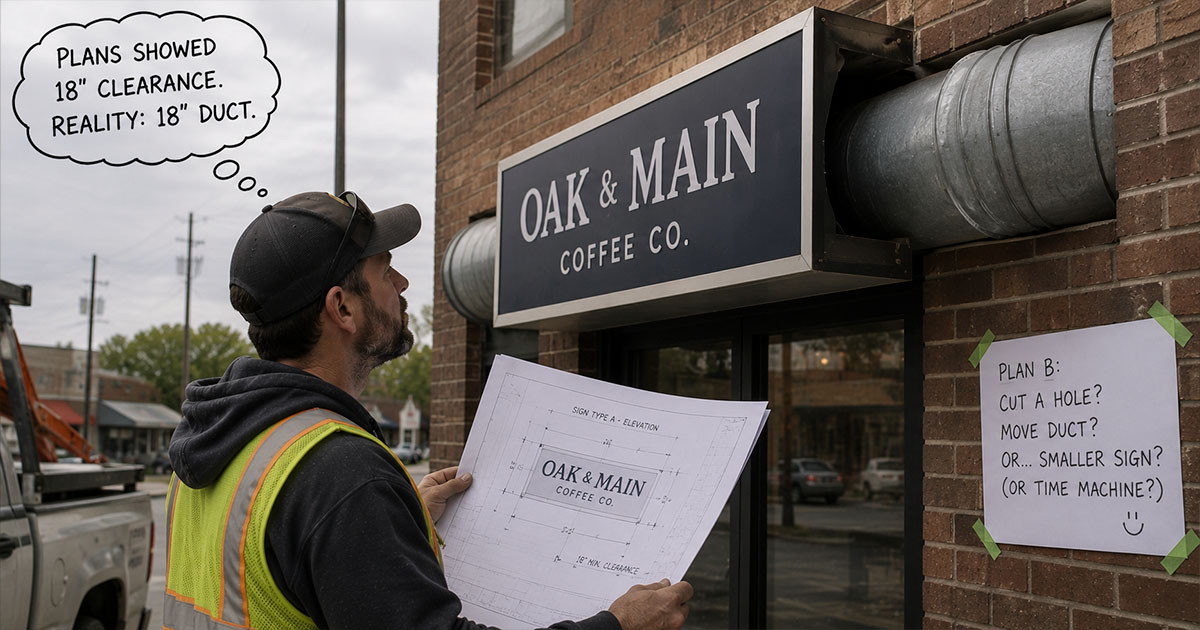
Drawings don’t always tell the whole story. A missing installation height, an unclear scope note, or an assumption about reusing a structure can change what a job costs.
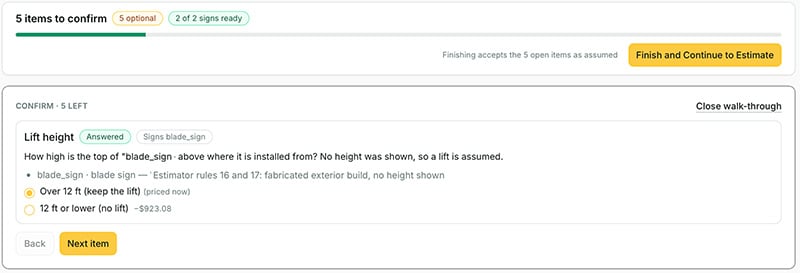
Ryvet now brings those uncertainties to you during analysis, asking clarifying questions and presenting important assumptions for confirmation.
You can supply the job knowledge the drawings leave out:
-
How high is the installation? That can change the equipment you need.
-
Who supplies what? Contractor scope and “by others” notes can change what belongs in your price.
-
Is an existing structure being reused? That can mean a different material and installation scope.
A detailed estimate can still be built on an uncertain premise. Bringing that premise into view gives you a chance to confirm or correct it before it carries through the pricing.
Your answers help the estimate reflect the job you intend to quote, with a clearer understanding of what Ryvet knows and what needs your input.
Catch the details that could eat your margin
Ryvet now reviews signs individually, checking what the drawings say, what each sign needs, and how those requirements are covered in the bill of materials.
Unresolved details come together on one review page. You can work through them and see how your answers affect the total before finishing the review.
The assumptions shown there focus on your job: details that could affect the price if they turn out differently. Standard proposal language stays in your terms, so you can focus on decisions that need your attention.
For a closer look, open a sign’s detail panel from the bill of materials. You’ll see what Ryvet read from the drawings, what the sign needs, and how those requirements are covered.
See which prices need a closer look
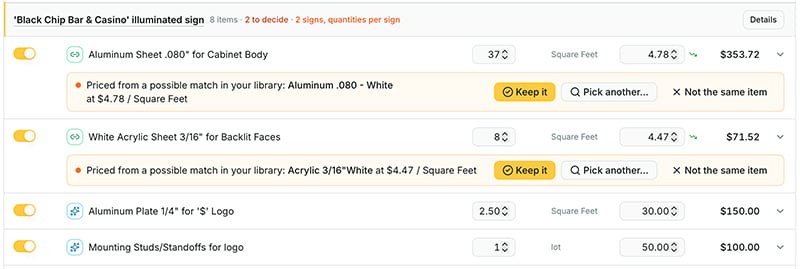
Each material line now shows whether its price came from your cost library, an AI estimate, or you. You can quickly distinguish your own pricing from amounts you may want to validate.
When a possible library match needs your decision, both prices appear right on the line. Accept the match, choose another product, or mark it as a different item.
A filter brings undecided matches together, so you can work through them without searching the whole estimate.
Get more value from the cost library you already built
Your cost library represents work you’ve already done. Smarter matching helps put more of it to use by accounting for the product, its specifications, and its unit.
If you’ve already uploaded a library, Ryvet handles the matching automatically. Your shop’s admin just completes a short, one-time review to fill in details the descriptions don’t settle.
Look for “New: smarter cost library matching” and select Review now. You’ll confirm whether your prices are supplier costs or selling prices, answer shared questions about your usual materials and purchase sizes, and choose a price where duplicate products differ. One answer can resolve missing details across many items.
That cost-versus-selling-price check matters: selling prices won’t be used as material costs, which prevents Ryvet from adding markup to a price that already includes it.
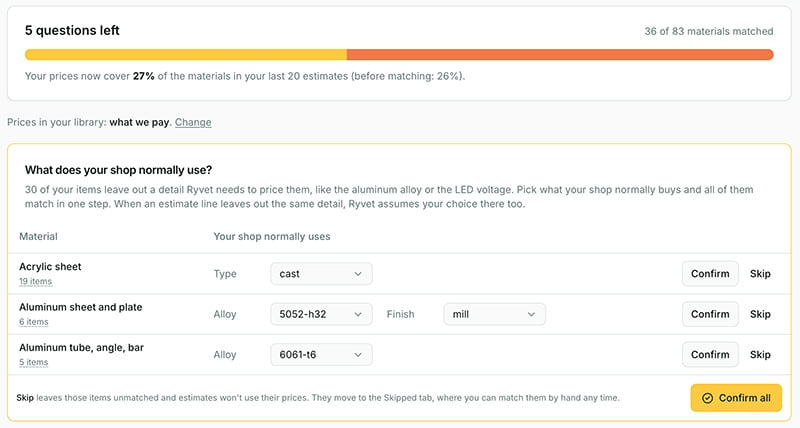
You can return to the review later or skip questions. Items with unanswered questions stay unmatched, and their prices won’t be used through the new matching until resolved. A few items may need manual matching; those won’t block the rest.
Turn a finished estimate into a head start on the job
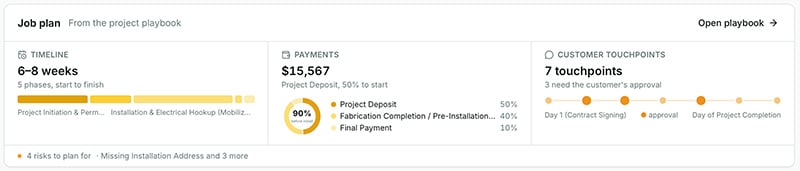
Once you’ve worked through the pricing review, Ryvet drafts a project playbook in the background, including:
-
A phased timeline
-
A payment schedule
-
Customer touch-points
-
Risks to plan around
You get a starting point to review and refine, without building the plan from a blank page.
Payment amounts follow the estimate’s current total. When a significant change could affect the plan, Ryvet flags it and lets you choose when to regenerate it.
Try the update on your next job
The new analysis questions, sign review, price-source indicators, and job planning are available now. If your shop has an uploaded cost library, your admin can also complete the matching review ahead of the improved pricing rollout.
Open your next estimate, answer the questions that shape the job, and see the new review and job plan in action.